So, Is Party Animals Crossplay Supported for Everyone?
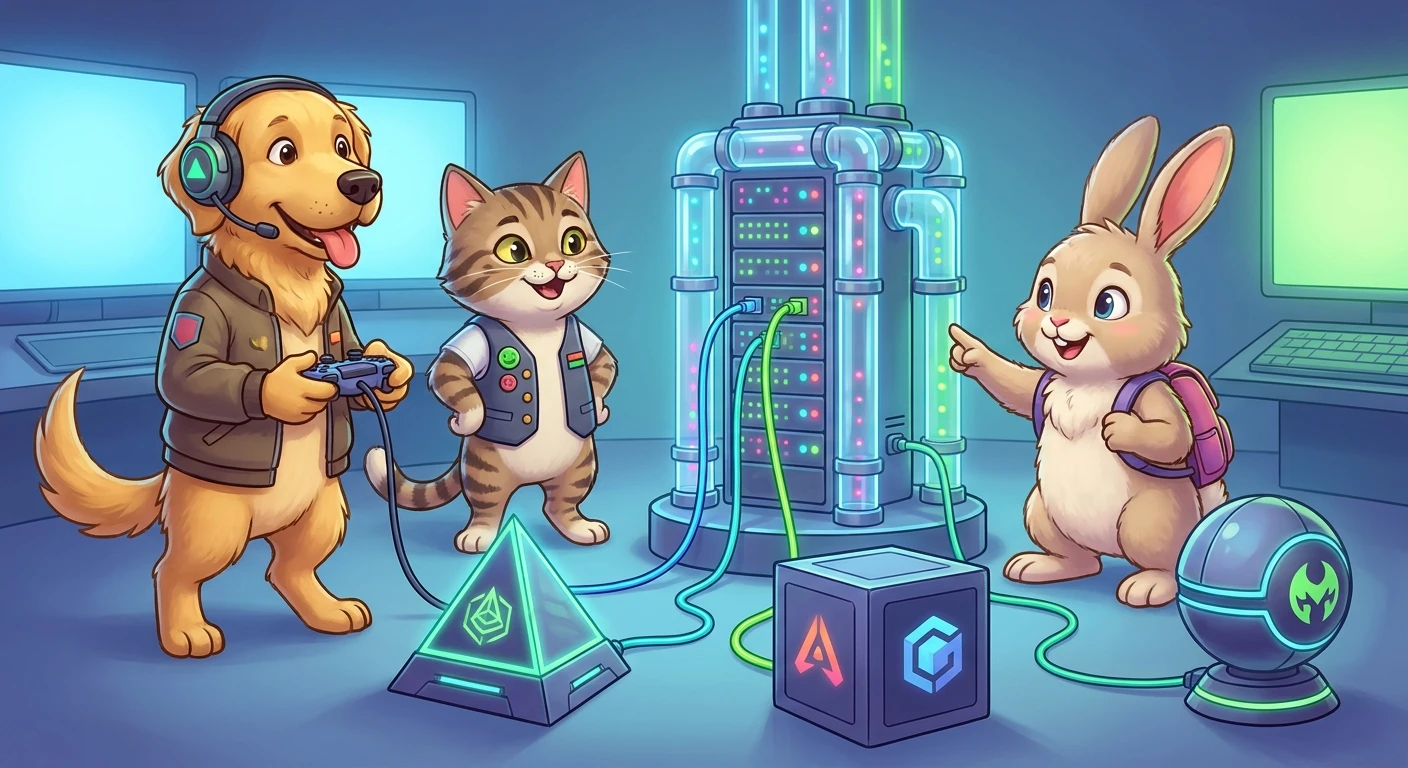
If you are gearing up for a chaotic game night, the main question on everyone’s mind: is Party Animals crossplay supported across different devices? When you gather a group of friends, hardware fragmentation is the ultimate fun killer. Half of your friend group might be gaming on a custom-built PC, while the other half prefers kicking back on the couch with an Xbox Series X or Xbox One. The beauty of modern gaming relies heavily on whether these separate ecosystems can communicate seamlessly. The physics-based brawler genre thrives on high player counts and absolute unpredictability. Tossing a floppy, costumed dog off a submarine requires precise timing, but it also requires a robust netcode infrastructure that allows everyone to participate regardless of their chosen hardware platform. You want a unified lobby where invites flow effortlessly between PC clients like Steam and console networks like Xbox Live. The good news for your weekend plans is that the developers built this title from the ground up with a unified multiplayer architecture. You do not need to worry about purchasing the exact same console just to engage in some lighthearted virtual brawling. By standardizing the matchmaking servers, players on Microsoft platforms and PC storefronts are thrown into the same chaotic arenas. This means faster queue times, larger player pools, and the undeniable satisfaction of knowing you can challenge anyone, anywhere, to a ridiculous animal wrestling match.
The Core Mechanics of Cross-Platform Lobbies
Understanding exactly how the multiplayer infrastructure operates ensures your game nights run without technical hiccups. The matchmaking ecosystem relies on a unified server logic that treats every connected client equally, regardless of the operating system or hardware architecture processing the graphics. The value proposition here is massive. First, you get incredibly fast matchmaking because the player pool is not segmented into artificial silos. A PC player in Europe can seamlessly queue into a casual match alongside console players in North America, provided the server routing allows for acceptable latency. Second, it keeps the game community healthy and active years after launch, as the combined population prevents dead matchmaking playlists. Consider a scenario where two siblings share a household but not a gaming system. One can boot up their Steam deck or desktop PC, while the other logs into the living room Xbox. They can easily join a cooperative team or face off in free-for-all modes without needing multiple copies of the same console. Let us look at the current compatibility matrix for the game environments.
Read also: Todd Liubinskas Fitness Method; Macca's Breakfast Time Ultimate Guide.
| Platform Ecosystem | Crossplay Status | Matchmaking Pool |
|---|---|---|
| PC (Steam) | Fully Supported | Unified Global Pool |
| Xbox Series X|S | Fully Supported | Unified Global Pool |
| Xbox One | Fully Supported | Unified Global Pool |
To successfully navigate this interconnected ecosystem and set up your first unified match, follow these primary configuration steps:
- First, ensure all players have created their official in-game profiles, which generates a unique identification number independent of their console gamertag or Steam name.
- Second, navigate to the social menu within the main interface and manually search for your friends using that specific in-game ID rather than their platform-specific handle.
- Third, host a custom lobby from the main menu, set your preferred arena rules, and dispatch invites directly through the in-game friend list to bridge the platform gap.
Historical Context of Multiplayer Restrictions
Origins of Platform Restrictions
To appreciate the current state of multiplayer gaming, we must look back at the origins of hardware-locked matchmaking. In the early days of broadband gaming, console manufacturers treated their online networks as heavily guarded walled gardens. The infrastructure powering Xbox Live was fundamentally separate from PC server browsers. Companies believed that locking players into a specific ecosystem would drive hardware sales, as groups of friends would be forced to coordinate their console purchases. If your social circle played on a specific brand, you had no choice but to conform or play alone. This artificial separation dictated the market dynamics for over a decade, leaving many fantastic multiplayer titles with fractured communities and prematurely dead online lobbies.
Evolution of Cross-Network Play
The paradigm began to shift significantly during the mid-to-late 2010s. Massive live-service titles proved that allowing friends to play together, regardless of their plastic box, generated infinitely more revenue and goodwill than restricting them. Technical barriers were slowly dismantled as developers pushed for agnostic server hosting. Microsoft heavily pushed the Play Anywhere initiative, blurring the lines between Windows PC and Xbox console environments. As engine technologies like Unity and Unreal Engine standardized networking protocols, the cost and complexity of building universal matchmaking systems plummeted. This cultural and technological shift meant that independent studios could realistically ambition a unified player base from day one.
Modern State of Party Animals Multiplayer
By the time Recreate Games launched their wildly popular physics brawler, the expectation for seamless connectivity was absolute. The developers knew that splitting their audience would cripple the chaotic magic of the game. Therefore, they invested heavy development time into ensuring the backend services could simultaneously authenticate requests from Steam and Xbox backend services. Today, the modern state of the game represents a triumph of this unified design philosophy. Players simply boot up the application and are immediately dropped into a global pool of combatants. The friction of the past has been entirely replaced by a few clicks in a universal social menu, proving that the future of the medium relies on open connectivity.
The Technical Architecture of Unified Netcode
The Architecture of Cross-Platform Netcode
Creating a seamless experience where physics-based objects interact correctly across completely different hardware architectures is a monumental engineering feat. In standard multiplayer shooters, the server merely tracks positional data and hitscan vectors. However, a game heavily reliant on active ragdoll physics requires a radically different approach to client-server communication. The architecture relies on an authoritative server model. When a PC player swings a weapon at an Xbox player, the local machines do not argue over who landed the hit. Instead, both clients send their input data as packets to a central dedicated server. This server runs a headless version of the game engine, calculates the exact physical forces, collision detections, and momentum shifts, and then broadcasts the authoritative game state back to all connected clients multiple times per second. This ensures that the hilarious flops, knockouts, and environmental hazards remain perfectly synchronized whether you are rendering the game at 120 frames per second on a high-end desktop or 30 frames per second on an older generation console.
Physics Synchronization Across Hardware
The complexity deepens when addressing hardware disparities. A processor executing floating-point math on an x86 PC architecture might handle microscopic rounding errors differently than an aging console chipset. To prevent the physical simulations from desynchronizing and causing players to teleport wildly around the arena, the developers utilize deterministic simulation techniques alongside robust rollback netcode. This means the engine constantly corrects minor positional deviations before the human eye can perceive them.
- Client-Side Prediction: Your local machine guesses the immediate outcome of your inputs to eliminate perceived input lag, providing instantaneous feedback on your screen.
- Server Reconciliation: The central server constantly overwrites incorrect local predictions, snapping characters back to the true gamestate if a latency spike occurs.
- Unified Tick Rates: The servers update the physical simulation at a locked frequency, ensuring no single platform gains a reaction-time advantage due to faster local processing power.
- UDP Packet Prioritization: The netcode favors speed over perfect reliability, utilizing User Datagram Protocol to blast input data across the internet without waiting for tedious handshake confirmations.
Actionable Step-by-Step Guide for Unified Lobbies
Step 1: Verify Your Platform Hardware
Before planning your session, confirm that your specific device is currently supported by the developers. As of the current ecosystem, the unified matchmaking seamlessly connects PC users operating via Steam with console users across the entire Xbox family, including the Series X, Series S, and older One generation. Ensuring your friends own the game on these specific storefronts is the foundational step for connectivity.
Step 2: Update the Game Client
Cross-network communication strictly requires all participants to be running the exact same version of the software application. If a PC update drops a few hours before the console patch clears certification, you will face version mismatch errors. Always manually check for updates in your Steam library or console dashboard before attempting to form a group.
Step 3: Locate Your Unique In-Game ID
Because Gamertags and Steam profile names belong to isolated databases, the developers implemented a proprietary friend system. Navigate to your player profile in the bottom right of the main menu to locate your unique alphanumeric identification string. This string is your passport to cross-network connectivity.
Step 4: Add Cross-Platform Friends
Open the social tab and navigate to the add friend section. Input the exact alphanumeric string provided by your friend. Once they accept the incoming request, their name will permanently populate in your universal roster, completely bypassing the need to use platform-specific friend lists ever again.
Step 5: Configure Voice Communication
While the game features built-in proximity and team audio, many groups prefer private chat channels. Utilizing external applications like Discord, which is natively integrated into both desktop operating systems and modern console dashboards, ensures crystal clear voice communication that persists even during loading screens or application crashes.
Step 6: Host a Custom Lobby
Select the custom game option from the main menu to spin up a private instance on the dedicated servers. From this lobby screen, you can dictate the exact map rotation, adjust weapon spawn rates, and most importantly, open your social tab to click the invite button next to your newly added cross-network friends.
Step 7: Troubleshoot Connection Errors
If invites fail to send or players receive timeout errors, the first diagnostic step is to check the official server status via the developer social channels. Next, ensure that cross-network play has not been accidentally disabled in your console operating system privacy settings, a common oversight that blocks outgoing connection requests to PC clients.
Myths & Reality: Understanding the Infrastructure
Myth: PC players have an overwhelming competitive advantage due to keyboard and mouse controls.
Reality: The physics-based, clunky nature of the character movement makes twin-stick gamepad controllers the optimal input method. The vast majority of competitive desktop users actively choose to plug in a controller, neutralizing any perceived hardware advantage.
Myth: Enabling cross-network lobbies creates massive latency and lag spikes.
Reality: The platforms communicating with each other do not cause latency. Lag is strictly determined by your geographic distance to the dedicated server and the quality of your personal internet routing. A console and PC in the same city will experience identical, flawless ping.
Myth: The game servers force you to pay an extra subscription fee for universal matchmaking.
Reality: The unified infrastructure is entirely free and built directly into the base game code. The only subscription required is your standard console network access pass, which applies to all online multiplayer titles.
Myth: Progression and cosmetics automatically sync between all your owned devices.
Reality: Matchmaking across devices is completely different from cross-progression. While you can play with anyone, your unlocked skins and currency are currently tied to the specific platform account where you made the purchase.
Frequently Asked Questions & Conclusion
Do I need an active console subscription to play online?
Yes, standard console network restrictions apply. Console users must maintain an active premium subscription to access the multiplayer servers, while PC users do not face this requirement.
Can Steam players invite console players directly through the Steam overlay?
No, external overlays cannot communicate with console architectures. You must use the internal social menu designed specifically by the developers for sending invites.
Is local split-screen supported while playing in online universal lobbies?
Absolutely. You can have multiple players sharing a single couch on one machine while simultaneously connecting to a server filled with friends on completely different devices.
Are there strict regional server locks preventing international matches?
The servers are highly flexible. While the game attempts to place you in the lowest latency region automatically, custom lobbies allow you to bypass regional restrictions to play internationally.
How many total players can join a custom unified lobby?
A standard custom lobby supports up to eight players simultaneously, making it perfectly sized for medium friend groups spanning multiple hardware ecosystems.
Can I manually disable cross-network matchmaking if I want to?
Yes. If you prefer to play exclusively against users on your specific hardware, you can toggle the universal matchmaking feature off within the main gameplay settings menu.
Does the title currently support PlayStation network connectivity?
At this specific time in the release cycle, the title is restricted to PC storefronts and the Microsoft console ecosystem, meaning PlayStation users are entirely excluded from the player pool.
In conclusion, the answer to whether is Party Animals crossplay functional is a resounding yes for supported platforms. The developers have successfully engineered a robust, reliable, and hilarious multiplayer experience that tears down artificial barriers between desktop and console ecosystems. By following the simple integration steps and utilizing the in-game social tools, your friend group can immediately launch into the physics-based chaos without worrying about hardware fragmentation. Boot up the game, gather your diverse group of hardware owners, and jump straight into the arena today!